Clipping Path Service
Need clean product cutouts without the AI mess? Our Photoshop editors hand-draw every path using the Pen Tool. You get smooth edges that actually look professional. Try 2 images free and see the difference yourself.
AI Promised Quick Cutouts. You Got Jagged Edges.
You just wanted clean product photos. Simple enough, right?
Remove.bg said one click. Canva said it's easy. So you uploaded your jewelry shot and... the chain links look like someone attacked them with scissors. That furniture photo? AI decided the gaps between chair spindles don't exist. Now you're at 400% zoom, cleaning up mistakes that weren't supposed to happen.
Your marketplace wants white backgrounds. Your clients expect catalog-ready images. And here you are, spending your evening fixing edges instead of shooting new products or landing new clients. There's a better way.
What If You Could...
The Professional Way to Cut Out Products
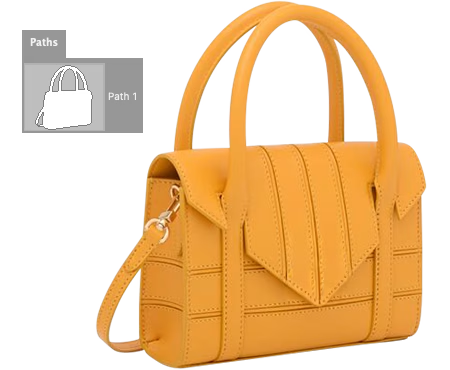
A clipping path is a closed outline drawn around a product using Photoshop's Pen Tool. Once applied, everything outside that line disappears. You're left with a clean cutout on a transparent background. Simple as that.
This technique works best for products with hard, defined edges - think bottles, shoes, electronics, or jewelry. For soft edges like hair, fur, or fabric fringe, you'll want image masking instead. Not sure which you need? Send us your photos. We'll tell you what works best.
Hand-Drawn vs AI Clipping Path
See why professional hand-drawn paths deliver better results than automated tools.
| Feature | AI Tools | Hand-Drawn |
|---|---|---|
| Edge Quality | Jagged, pixelated edges | Smooth, perfectly curved edges |
| Small Details | Misses fine details | Captures every detail precisely |
| Consistency | Fails on lace, mesh, chains | Masters any pattern or texture |
| Complex Shapes | Struggles with similar colors | Works on any background |
| Edit Later | No vector path included | Editable PSD path free |
| Your Time | Results vary per image | Uniform quality across batch |
| Cost | Free but needs fixing | From $0.19/image |
Bottom line: At $0.19 per image, hand-drawn paths cost less than your time fixing AI mistakes.
AI Tools vs Hand-Drawn Paths
Same photo, very different results
What AI Tools Give You
- Edges that look like they were cut with scissors
- Holes and gaps that magically disappear
- That annoying white halo around everything
- Complete failure on anything complicated
- Different results every single time
What Hand-Drawn Gets You
- Smooth curves that actually look professional
- Every hole and gap traced exactly
- Clean edges with zero artifacts
- Complex shapes handled with care
- Same quality across your whole catalog
Why Trace Paths Yourself When We Can Do It?
Your time is worth more than $0.19 per image.
Let's be honest - clipping paths are boring. Zoom in, click anchor points, adjust curves, repeat for 500 products. You could spend a week doing this. Or you could send them to us tonight and have everything back by tomorrow, starting at $0.19 each.
We've got 75+ editors who do this all day. They're fast. They're consistent. And they actually enjoy Pen Tool work (weird, we know). Whether you have 20 images or 20,000, we scale with your deadlines.
Why Outsource to Us
How It Works
From upload to download in as little as 6 hours
Send Your Photos
Upload via our portal, Dropbox, or Google Drive. JPG, PNG, PSD, TIFF - whatever you've got works.
Get Your Quote
We check complexity and email you pricing within 1 hour. No surprises, no obligations.
We Trace the Paths
Our editors zoom to 300% and hand-draw every curve with Photoshop's Pen Tool. No AI shortcuts.
Download & Use
Get your files via email or cloud link. Not happy? We'll revise until you are. No extra charge.
Clipping Path Types & Pricing
Price depends on complexity - more edges mean more anchor points
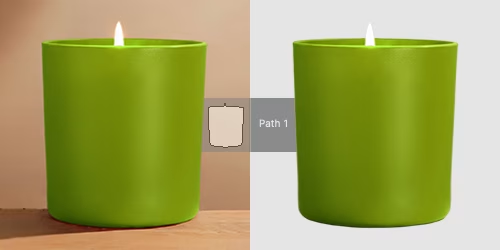
Basic Clipping Path
Simple shapes with straight edges. Think coffee mugs, books, boxes. Few anchor points needed, so we turn these around fast.
- Round or square shapes
- No holes inside
- Smooth simple curves
- Same-day delivery
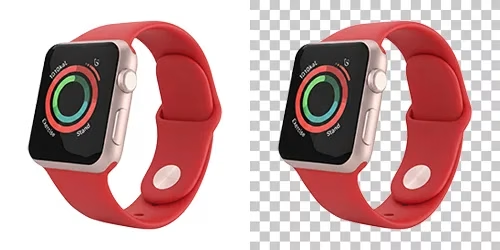
Simple Clipping Path
Products with some curves and a few holes. Handbags, watches, sunglasses fit here. A bit more detail but still straightforward.
- 1-3 holes or gaps
- Gentle curves
- Single-layer items
- Clear edge definition
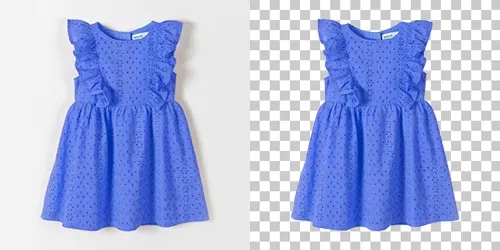
Medium Clipping Path
More curves, more holes, more time. Laptops, chairs with cutouts, detailed watches. These need patience and extra anchor points.
- 4-10 cutouts or holes
- Multiple curve types
- Several components
- Careful edge tracing
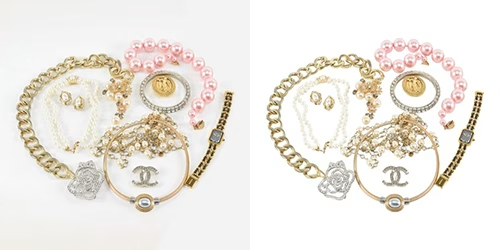
Complex Clipping Path
Lots of small parts and openings. Jewelry chains, bicycle spokes, lattice furniture. Takes real skill and patience to get right.
- 10+ intricate cutouts
- Fine chains and links
- Nested elements
- Precision required
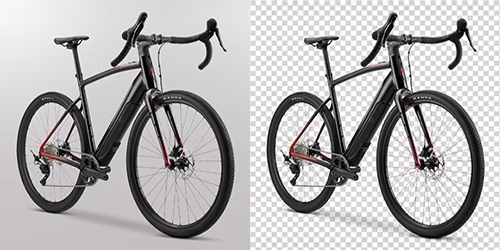
Super Complex Path
The tough ones. Trees, wicker baskets, group shots with dozens of products. Hundreds of anchor points. Our senior editors handle these.
- Hundreds of edges
- Trees and foliage
- Multi-product shots
- Senior editor only
Not sure which tier? Send us your images - we'll quote you for free.
Get Free QuoteThe Tricky Stuff That Trips Up Most Editors
Clipping path works on almost anything — but some product types need extra care. Here is where our hand-drawn approach really pays off.
Jewelry with Intricate Details
Chains, clasps, gemstone facets — every tiny opening needs its own sub-path. We zoom to 300% and trace each link individually. No AI shortcut handles this right.
Transparent Glass & Bottles
Glass is where most clipping services fail. We draw the outer path cleanly, then preserve the transparency inside using careful masking. The result looks real, not cut-out.
Lace, Mesh & Fine Fabric
Bridal veils, mesh sneakers, crochet patterns — these need image masking not pure clipping path. We often combine both on the same file. You get a proper result, not holes filled with background color.
Products with Holes
Belts with buckle holes, coffee mug handles, basket weaves — every gap inside the product needs its own path. Miss one, and the background bleeds through on a new color. We catch them all.
Reflective & Metallic Surfaces
Chrome watches, polished silverware, steel appliances — the edge blends into the background. Our editors work the path carefully around subtle reflections so the product keeps its metallic look on white.
Similar Color Backgrounds
White shirt on light grey backdrop, beige shoes on cream paper — AI tools completely fail here. Our manual Pen Tool work separates them cleanly because we see context, not just pixel contrast.
Industries We Serve
From small sellers to enterprise brands
Ecommerce Sellers
Amazon and eBay listings need pure white backgrounds (#FFFFFF) and at least 85% of the frame filled. We deliver that spec, clean edges, and ready-to-upload files so your listings pass review on the first try. Bulk orders of seasonal catalog drops move fast — 500 SKUs in 24 hours.
Product Photographers
Photography studios and freelancers outsource clipping when deadlines are tight. Send us your RAW or PSD files, we return them edited by next morning with the original organization intact. Your retoucher can focus on color and skin work, not path tracing.
Jewelry Brands
Jewelry is where manual work matters most. Every prong, chain link, and gemstone facet gets its own path. We return PSD files with paths intact so your designer can reuse them for campaign assets, lookbooks, and banner variations.
Fashion & Apparel
Fashion brands send us shoots weekly: apparel, accessories, footwear. We handle mannequin joint work, hair around collars, lace edges, and sheer fabrics. If you run Shopify or an agency portfolio, we keep the look consistent across seasons.
Furniture & Home
Furniture brands often shoot in-situ, then need the product cut out for catalog use. We handle legs with negative space, wicker patterns, upholstery piping, and glass table tops. Same file works for both the website and the brochure.
Automotive & Dealerships
Dealerships and marketplace sellers need vehicles isolated cleanly — tires, grill details, side mirrors, reflections in the paint. We handle the full car including transparent windshields and chrome trim, ready for background replacement.
Questions About Clipping Path
Quick answers to common questions
A clipping path is a closed vector outline drawn around an object using the Pen tool in Photoshop to separate it from its background.
When applied, everything outside the path becomes transparent, allowing you to place the isolated object on any new background. This technique creates pixel-perfect edges that AI tools cannot match.
Clipping path service costs $0.19-$6.99 per image depending on complexity:
- Basic (simple shapes): $0.19
- Simple (shoes, bags): $0.39-$0.69
- Medium (electronics): $0.99-$1.99
- Complex (jewelry, bicycles): $2.99-$4.99
- Super complex (trees, chains): $6.99+
Clipping path creates an editable vector outline around an object, while background removal simply deletes the background pixels.
Clipping paths are reusable and scalable - you can modify, save, and reapply them in Photoshop or Illustrator. Background removal is a one-time destructive edit.
For professional work requiring future edits, clipping paths are the industry standard.
Clipping path: Use for objects with hard, defined edges like products, boxes, bottles, and electronics.
Image masking: Use for soft or fuzzy edges like hair, fur, feathers, and transparent fabrics.
Clipping paths are faster and more affordable for solid objects. Masking preserves fine details but requires more time.
We accept: JPG, PNG, TIFF, PSD, AI, EPS, and camera RAW files (CR2, NEF, ARW).
We deliver: PNG with transparent background, PSD with editable vector paths, TIFF for print, or JPG with white background.
All PSD deliveries include the clipping path as a saved path you can modify.
Standard delivery: 24 hours
Rush delivery: 12 hours (+50% surcharge) or 6 hours (+100% surcharge)
Most orders under 100 images complete same-day. Large batch orders (1,000+ images) typically require 48-72 hours. We provide exact delivery estimates with every quote.
See For Yourself - 2 Images Free
Send us your trickiest product shots. We'll clip them free. No credit card, no commitment. Just proof that hand-drawn paths look better.
*Conditions apply — see Terms